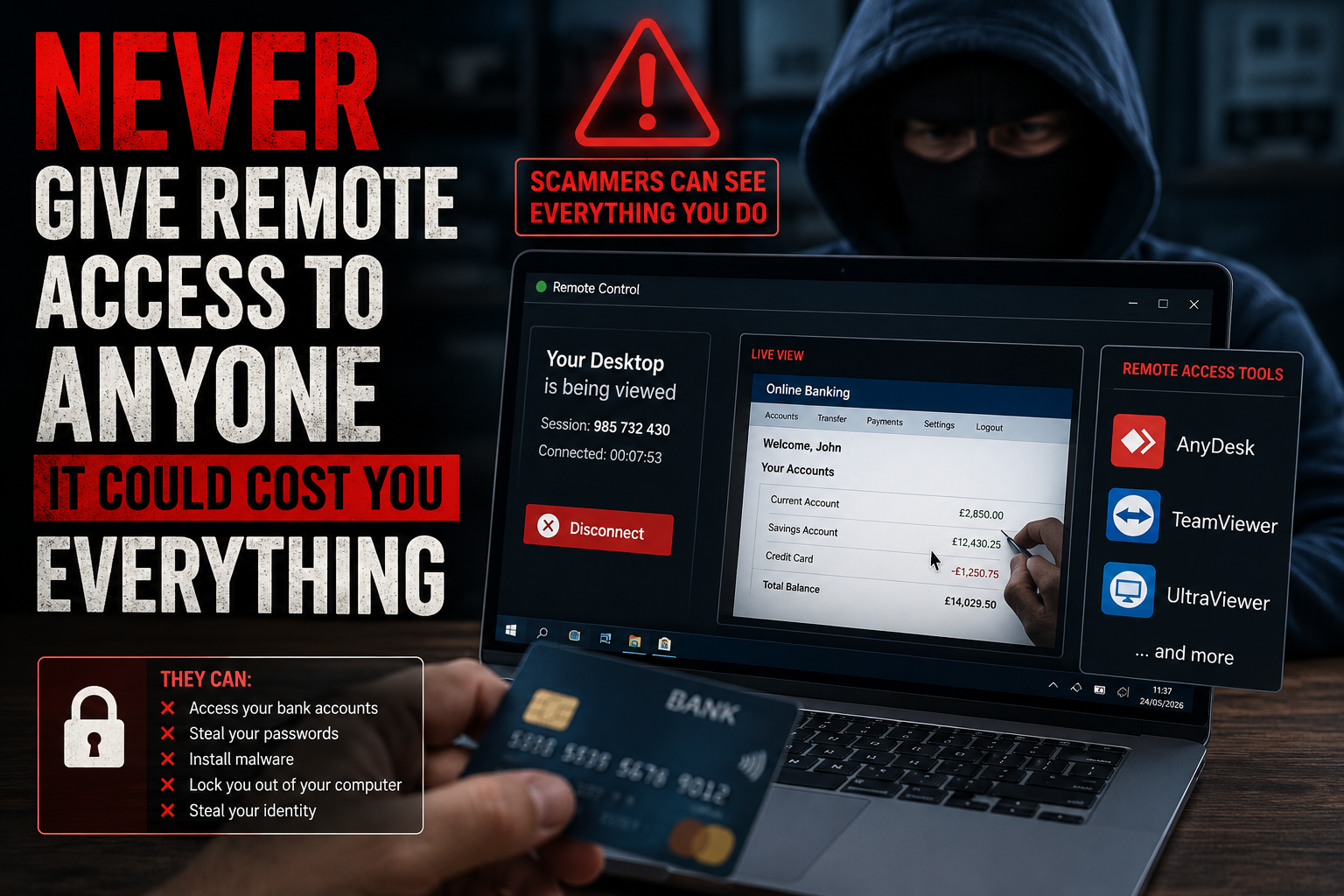
Remote access scams are one of the most dangerous types of online fraud because they don't just trick you into clicking a link. They convince you to hand over control of your computer, your files, your passwords and sometimes even your online banking.
At Simple Tech Solutions Barrow, we regularly speak to customers who have had strange phone calls, fake pop-ups, suspicious emails or people claiming to be from Microsoft, Amazon, their bank, their broadband provider or another trusted company. The message is usually urgent: your computer has a virus, your bank account is at risk, your internet will be disconnected, or someone has hacked you.
The scammer's aim is simple. They want you scared enough to do what they say before you have time to stop and think.
How Remote Access Scams Work
Most of these scams follow the same pattern. You receive a phone call, text, email or browser warning saying there is a serious problem with your computer, bank account, internet connection or subscription. The person contacting you sounds professional and may even use technical words to make the situation feel real.
They then ask you to install a remote access program such as AnyDesk, TeamViewer, UltraViewer, Supremo, RustDesk or similar software. These programs are not scams by themselves. Genuine IT technicians use remote access tools every day. The danger is allowing a stranger, who contacted you unexpectedly, to connect to your device.
Once connected, the scammer can often see your screen, move your mouse, open your files, change settings, install software and watch what you type. In simple terms, you have given them your keyboard and mouse from anywhere in the world.
What Scammers Can Do Once They Are Connected
Many victims believe the person is only checking for a virus or fixing a small issue. In reality, a scammer with remote access may be able to:
- View your personal documents and photos.
- Read your emails and reset passwords.
- Open your browser and view saved passwords.
- Install malware or hidden remote access software.
- Watch you log into online banking.
- Create new bank payees or attempt transfers.
- Steal identity documents such as passports, driving licences or bills.
- Lock you out of your own computer.
Some scammers even blank the screen while they are working in the background, so you cannot see what they are doing. Others pretend to refund money, then trick the victim into believing too much money has been sent back and pressure them into transferring money to “fix” the mistake.
Microsoft, Banks and Broadband Providers Do Not Randomly Phone You
A common scam is someone claiming to be from Microsoft, Apple, Amazon, BT, Sky, Virgin Media, TalkTalk or your bank. They may say your computer is infected, your broadband has been hacked, your Amazon account has been charged, or suspicious activity has been detected.
Legitimate companies do not randomly phone you and ask you to install remote access software so they can take control of your computer. If a caller says they need remote access to fix an urgent problem, treat it as a scam.
Simple Rule: If someone contacts you first and asks for remote access to your computer, do not allow it. Hang up, close the message, and speak to someone you trust before doing anything else.
Why Older and Vulnerable People Are Often Targeted
Scammers often target elderly people or anyone who is less confident with technology. They use fear, pressure and confusion. They may sound polite and patient at first, but once the victim hesitates, they often become more forceful.
There is no shame in being caught out. These scams are run by organised criminals who spend all day learning how to manipulate people. The best defence is awareness and a simple rule: never give remote access to anyone who contacts you unexpectedly.
What To Do If You Have Given Someone Remote Access
If you think a scammer has accessed your computer, act quickly:
- Disconnect the computer from the internet.
- Contact your bank immediately if you logged into online banking.
- Change important passwords from a different trusted device.
- Remove any remote access software they installed.
- Check for malware and unwanted programs.
- Monitor your accounts for unusual activity.
- Report the scam to Action Fraud or your bank's fraud team.
Do not keep using the device for banking or important accounts until it has been checked. If hidden software has been left behind, the scammer may be able to reconnect later.
Local Computer Scam Support in Barrow-in-Furness
At Simple Tech Solutions Barrow, we offer honest, local, face-to-face help for people who are worried they may have been scammed. We can check your laptop or desktop for remote access tools, malware, suspicious programs and signs that someone has tampered with your system.
We can also help with virus removal in Barrow-in-Furness, Windows laptop repairs, computer security checks, password advice, software problems and general computer repairs in Barrow. Everything is explained clearly, without jargon or scare tactics.
Our Advice: Never let a stranger take control of your computer. If you are unsure, stop, hang up, and ask someone local and trusted before installing anything.
Worried someone has accessed your computer?
We can check your device for remote access software, malware and suspicious activity, then help you secure it properly.
Get a Security Check